

- Akademische Forschung und Lehre
- Mitarbeiter des KIT
- Studierende des KIT (auch auf privaten Geräten)
-
ChemOffice / Revvity Signals Notebooks
-
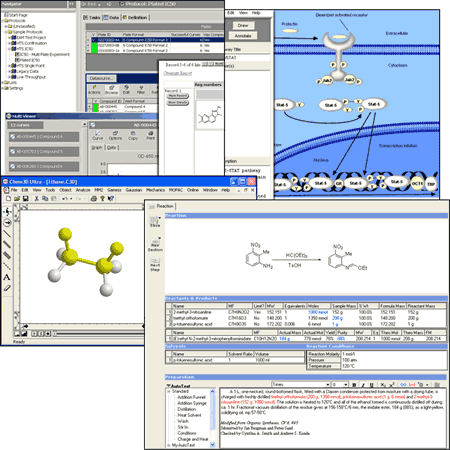
ChemOffice+ Cloud incl. Revvity Signals Notebook is a set of tools, among others, for drawing, managing and displaying chemical and biological data.
- Contact:
- Contact Person:
- Links:Revvity Signals Portal
About ChemOffice+ Cloud / Revvity Signals Notebook
ChemOffice+ Cloud is a comprehensive suite of tools designed for the drawing, management, and visualization of chemical and biological data. It integrates the industry-standard ChemDraw desktop application with cloud-native tools like ChemDraw+ and the Signals Notebook electronic laboratory notebook (ELN), providing a unified workflow from initial structure drawing to experimental documentation.
Chemical Structure Drawing (ChemDraw)
ChemDraw serves as the core application for creating chemical structures and reactions. It includes a vast array of drawing tools for bonds, rings, orbitals, and laboratory equipment templates. Users can work on desktop (Windows/macOS) or via the web-based ChemDraw+. The software handles everything from small molecules to complex biopolymers, featuring dedicated HELM editing tools for peptides, DNA, and RNA sequences.
Chemical Intelligence and Property Calculation
The suite provides advanced property calculations directly from structures, including molecular weight, elemental analysis, LogP, pKa, and tPSA. It supports stoichiometry grids for reaction planning and can predict 1H and 13C NMR spectra. Integration with external databases such as CAS SciFinder and Elsevier Reaxys allows for seamless data retrieval and name-to-structure conversion.
3D Molecular Modeling and Database Management
Through Chem3D, users can build and analyze three-dimensional models using molecular mechanics and dynamics. It provides interfaces to computational packages like Gaussian and MOPAC. For data management, ChemFinder enables substructure and similarity searches across chemical databases, allowing for compound profiling and visualization of complex data sets.
Electronic Laboratory Notebook (Signals Notebook)
Signals Notebook Standard Edition is a cloud-based ELN that allows researchers to document experiments and collaborate in real-time. It features full ChemDraw integration, allowing users to embed chemical structures directly into their experimental entries and save drawings created in ChemDraw+ directly to the notebook.
Current Licensed Software Applications
Signals
ChemDraw
Installation
Users can download the installation files for all licensed products directly from the Revvity Signals Portal. To obtain access to licensed Revvity Signals products through the Revvity Signals Portal, please refer to the Licensing section below for further information.
Note: For the ChemDraw JS license, please refer to the installation files available on our FTP server.
Licensing
Named User License: The Revvity Signals educational license will be assigned only to your KIT email address.
Action Required
-
For IT representatives: Please provide a CSV file containing the first name, last name, and institutional email address of the users at your institution, along with the Revvity Signals products they require. Please send the information by email to scs-contact∂scc kit edu. Users will then receive an invitation link to the Revvity Signals Portal, where they can access to the licensed products.
-
For KIT members: Please send your first name, last name, institutional email address, and the Revvity Signals products you require by email to scs-contact∂scc kit edu. You will then receive an invitation link to the Revvity Signals Portal, where you can access to the licensed products.
System requirements
ChemOffice Professional in the current version has the following system requirements:
Operating system
- Windows 7 Professional and Ultimate (32 bit)
- Windows 7 Professional and Ultimate (64 bit)
- Windows 8.1 and 8.1 Pro (32 bit)
- Windows 8.1 and 8.1 Pro (64 bit)
- Windows 10 (32 bit)
- Windows 10 (64 bit)
Browser plugin / ActiveX control for
- Microsoft Internet Explorer 9.0 (32 and 64 bit)
- Microsoft Internet Explorer 10.x (32 and 64 bit)
- Microsoft Internet Explorer 11.x (32 and 64 bit)
- Firefox 28 or higher
- Chrome 32 - 44
Microsoft Office
- Microsoft Office 2010
- Microsoft Office 2013 (SP1) Office 365
Only the 32-bit versions of these Office products work with the ChemOffice plugin.
Other
- .Net Framework 4.0
- .Net Framework 3.5 is automatically installed together with ChemOffice
- .Net Framework 3.5 and 4.0 can be both on the system without any problems
Hardware
- Main memory min. 1 GB (32 bit) or 2 GB (64 bit)
- Screen resolution max. 1920x1080
- Hard disk space min. 1 GB, recommended are 10 GB