Table of contents
sprungmarken_marker_17200
Android KIT mailbox
(status Samsung Galaxy S22)
Note: The Outlook app for Android and iOS is blocked at KIT and therefore cannot be used.
Mail/Calendar/Contacts/GAB (Exchange account) with Samsung Apps
Note: By setting up an Exchange ActiveSync account, the Exchange Server administrator or the user can perform a remote wipe. This process either removes only the account from the mobile device or resets the entire mobile device. The Exchange Server administrator will perform a remote wipe only at the user’s request.
If you do not want this and simply wish to access your KIT emails on the mobile device, you can alternatively set up your KIT mailbox as IMAP account (instead of an Exchange account). This prevents an Exchange ActiveSync device partnership from being established. However, features such as calendar or contact synchronization and the Global Address Book are not available in this case.
Samsungs Mail App "E-Mail" with Samsungs Calendar App "Calendar" and Samsungs Contacts App "Contacts". These apps are already preinstalled on Samsung devices.
 App
App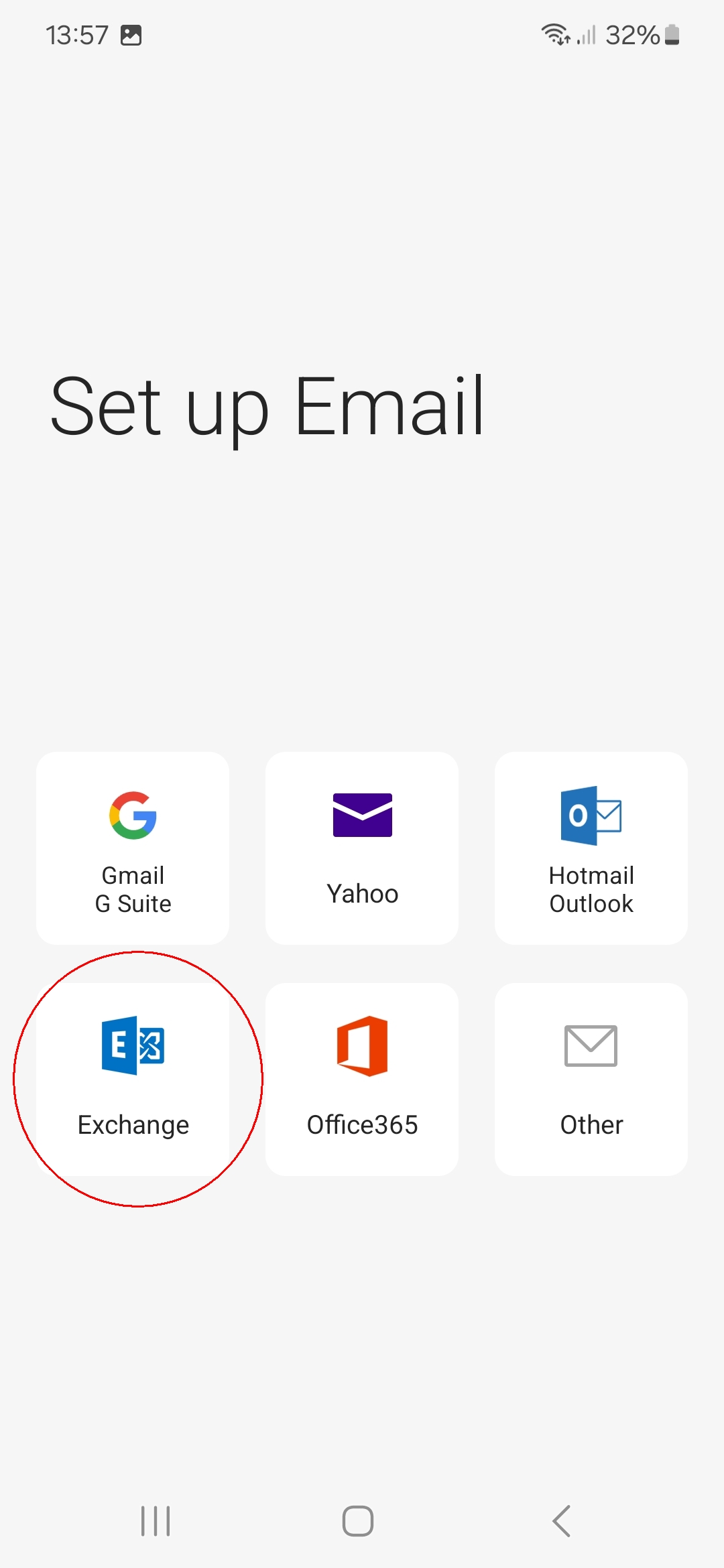
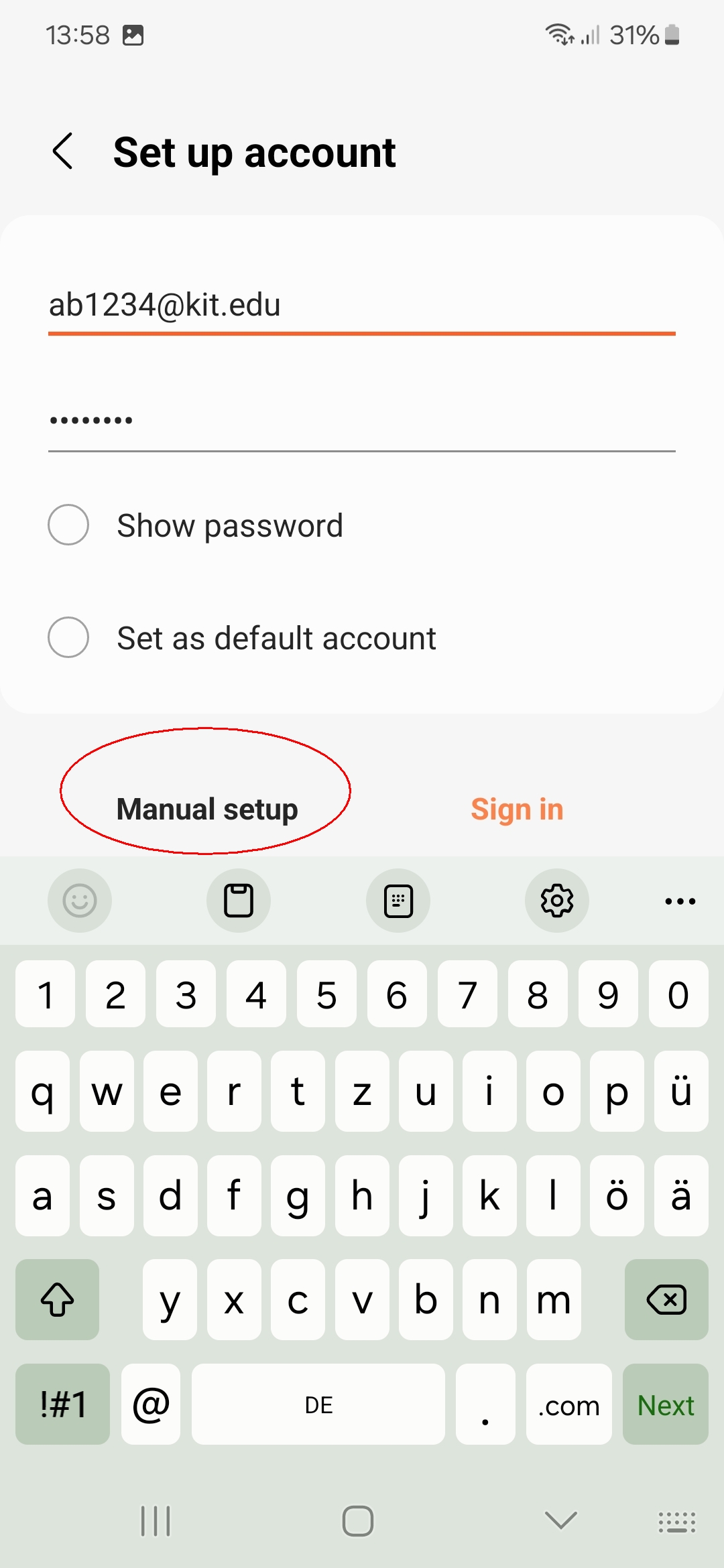
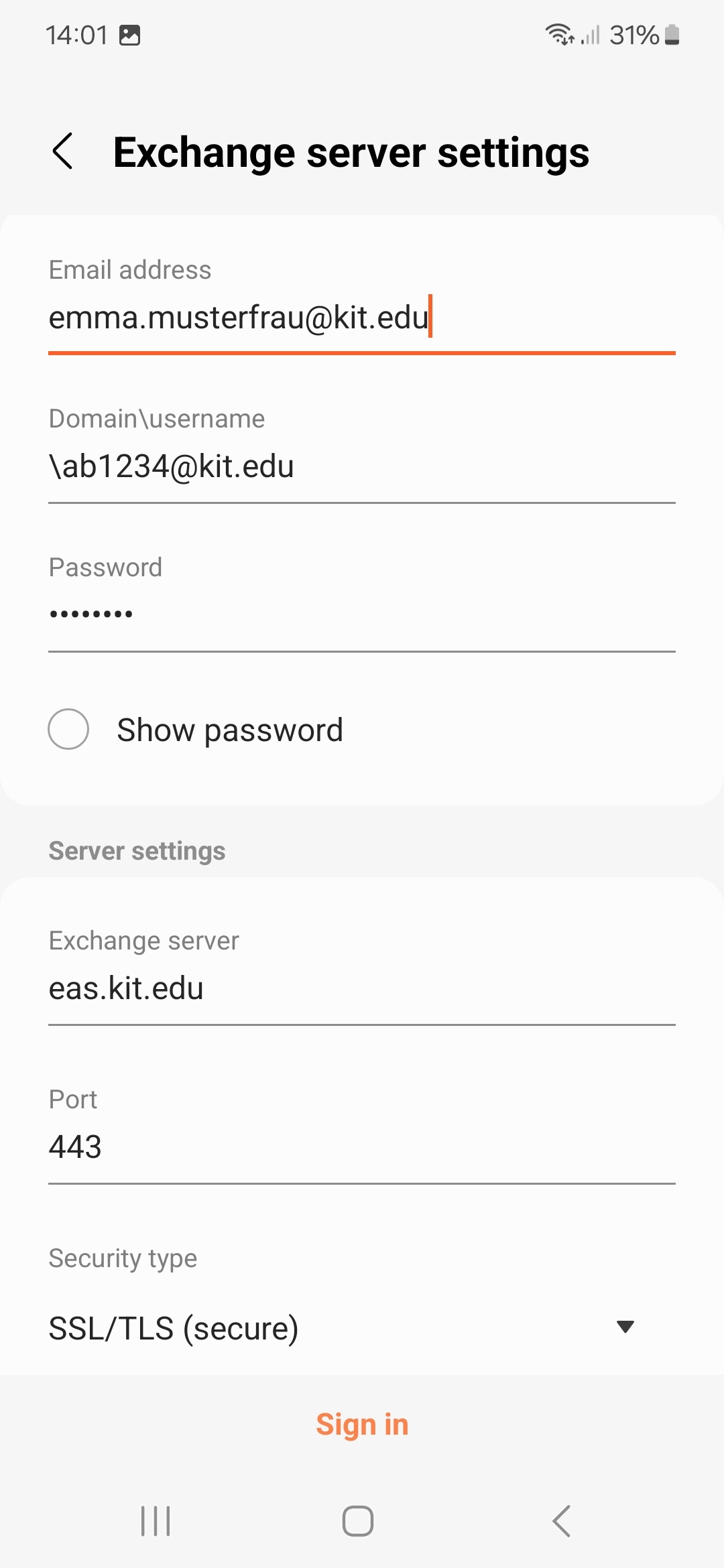
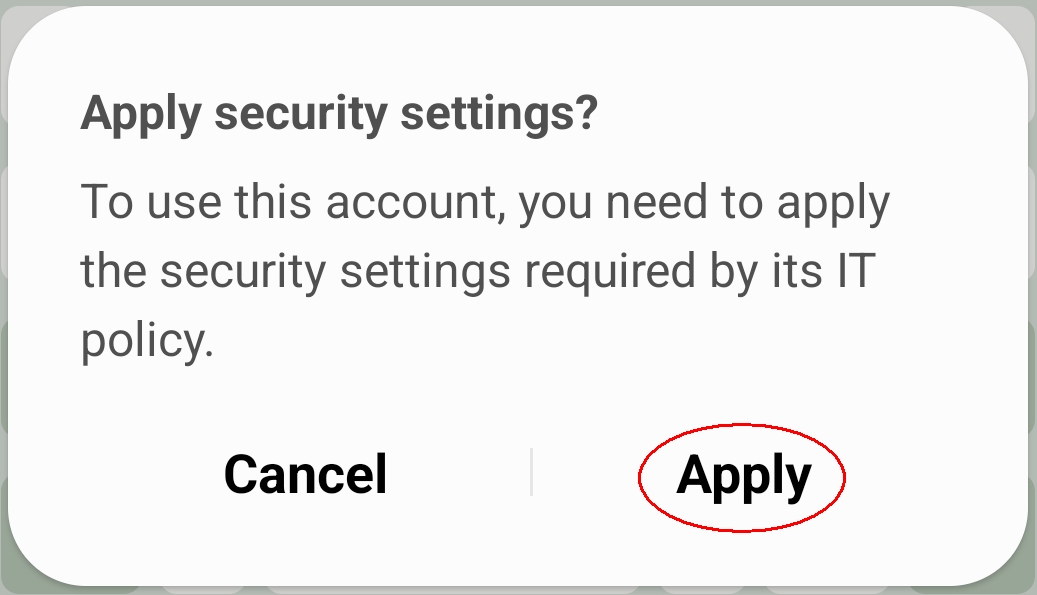
 app, and the contacts will appear in the Contacts
  app.
app.Appointments cannot be edited
Some mobile devices with Android, e.g. Samsung Galaxy, may have the problem that some appointments cannot be edited on the mobile device.
The reason for this is that the email address of the Exchange (ActiveSync) account does not match the main sender address of the mailbox.
Appointments that were created or edited with another client (e.g. Outlook or OWA) cannot (or can no longer) be edited on the mobile device. Instead, you appear as both the host and the participant in the appointment.
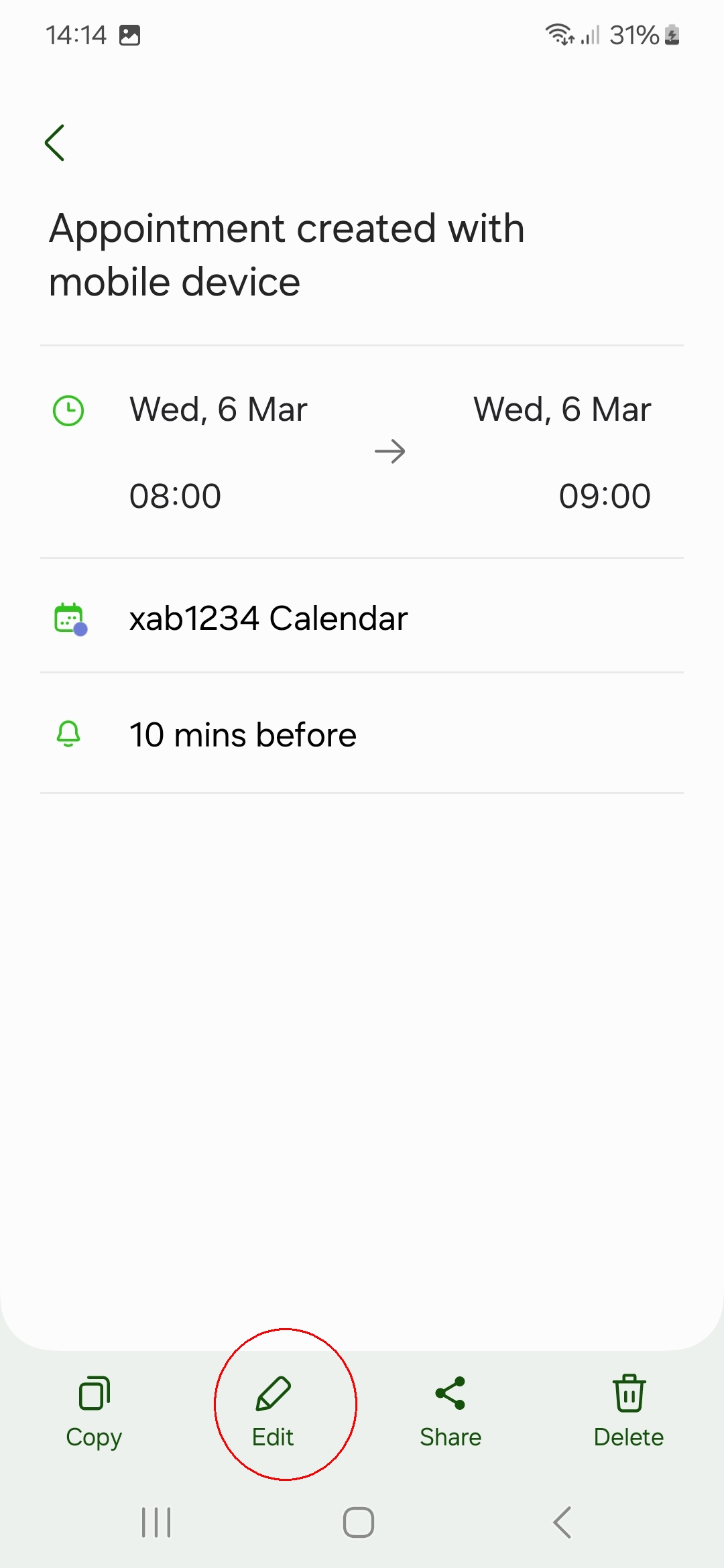
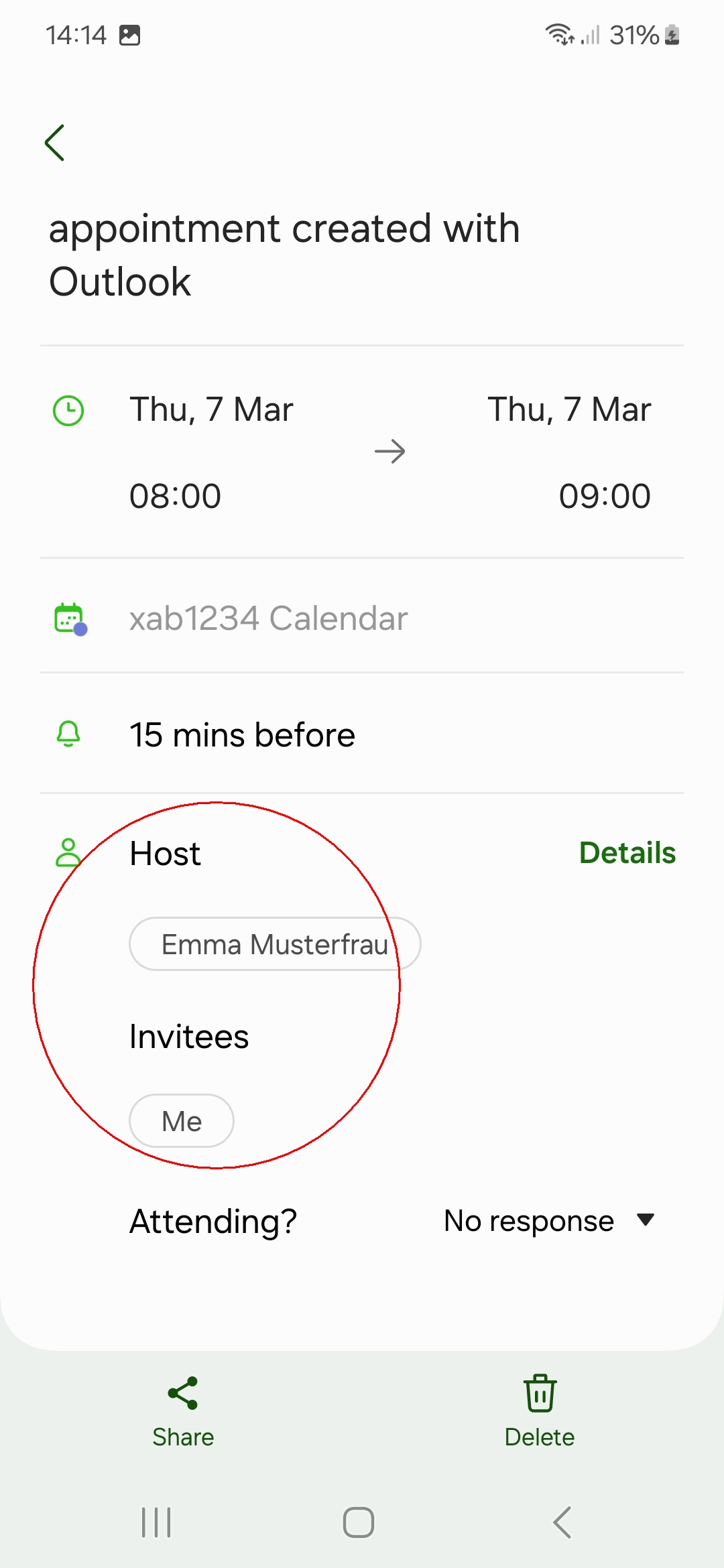
On the left you can see an appointment that can be edited on the smartphone. The appointment on the right was created with Outlook and is displayed as a meeting and cannot be edited.
→ Solution: Configure the account manually and set the email address to the same as the main sender address of the mailbox.
Global Address Book (GAB)
It is possible to search the Global Address Book on mobile devices. The prerequisite is that the KIT mailbox is configured as an Exchange account.
If you tap on an entry in the search result, you will receive further details. If a telephone number is available, it is displayed so that you can call the contact directly.
Anyone can enter their own phone number on the page https://my.scc.kit.edu/shib/kv-daten.php so that it appears in the global address book.
(Phone - ) Contacts - Search
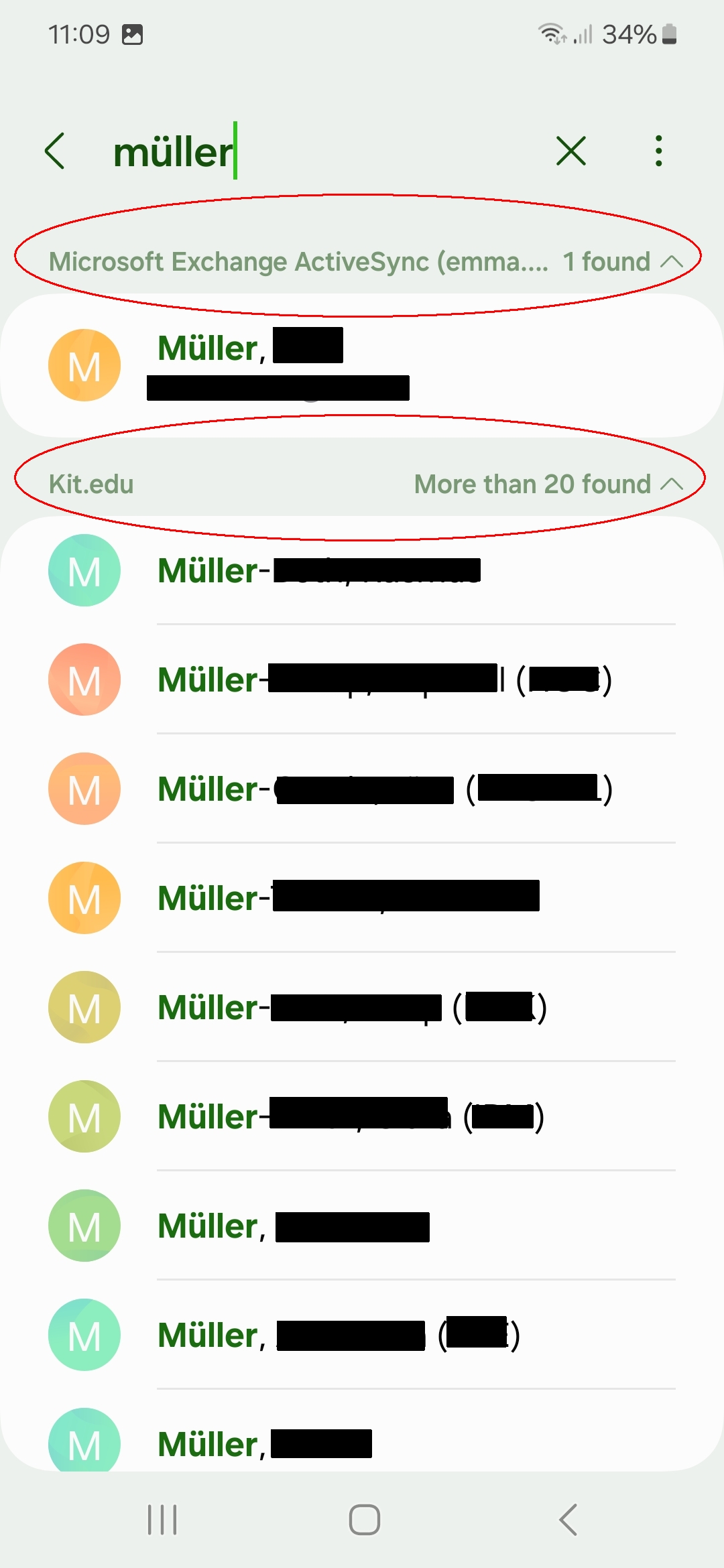

The global address book is automatically searched. However, as the search results are grouped, it is not immediately apparent. You can collapse the grouping by tapping on the grouping line, e.g. "Microsoft Exchane Active Sync (<account name>) x found ^", to get to the desired grouping more quickly and then expand it specifically.
Mail/Calendar/Contacts/GAB (Exchange account) with Google Apps (Gmail)
Note: By setting up an Exchange ActiveSync account, the Exchange Server administrator or the user can perform a remote wipe. This process either removes only the account from the mobile device or resets the entire mobile device. The Exchange Server administrator will perform a remote wipe only at the user’s request.
If you do not want this and simply wish to access your KIT emails on the mobile device, you can alternatively set up your KIT mailbox as IMAP account (instead of an Exchange account). This prevents an Exchange ActiveSync device partnership from being established. However, features such as calendar or contact synchronization and the Global Address Book are not available in this case.
Googles Mail App "Gmail" with Googles Calendar App "Google Calendar" and Googles Contacts App "Contacts".
- Open Mail
 App
App  -
- 
(Menu - Settings)- Add account
- Exchange and Office 365
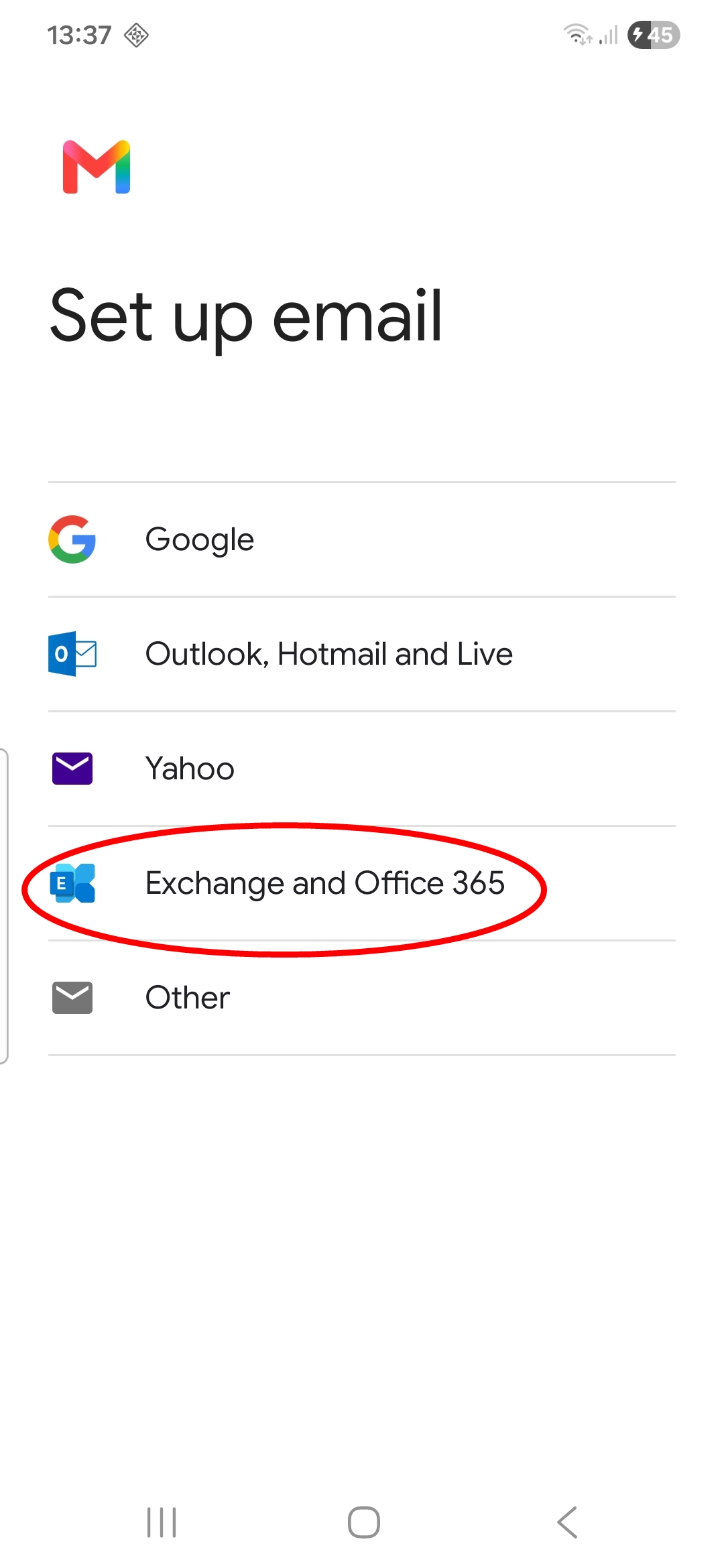
- Enter the following data:
- Email: ab1234∂kit edu as employee.
(Students: uxxxx∂student kit edu; guests and partners: ab1234∂partner kit edu).
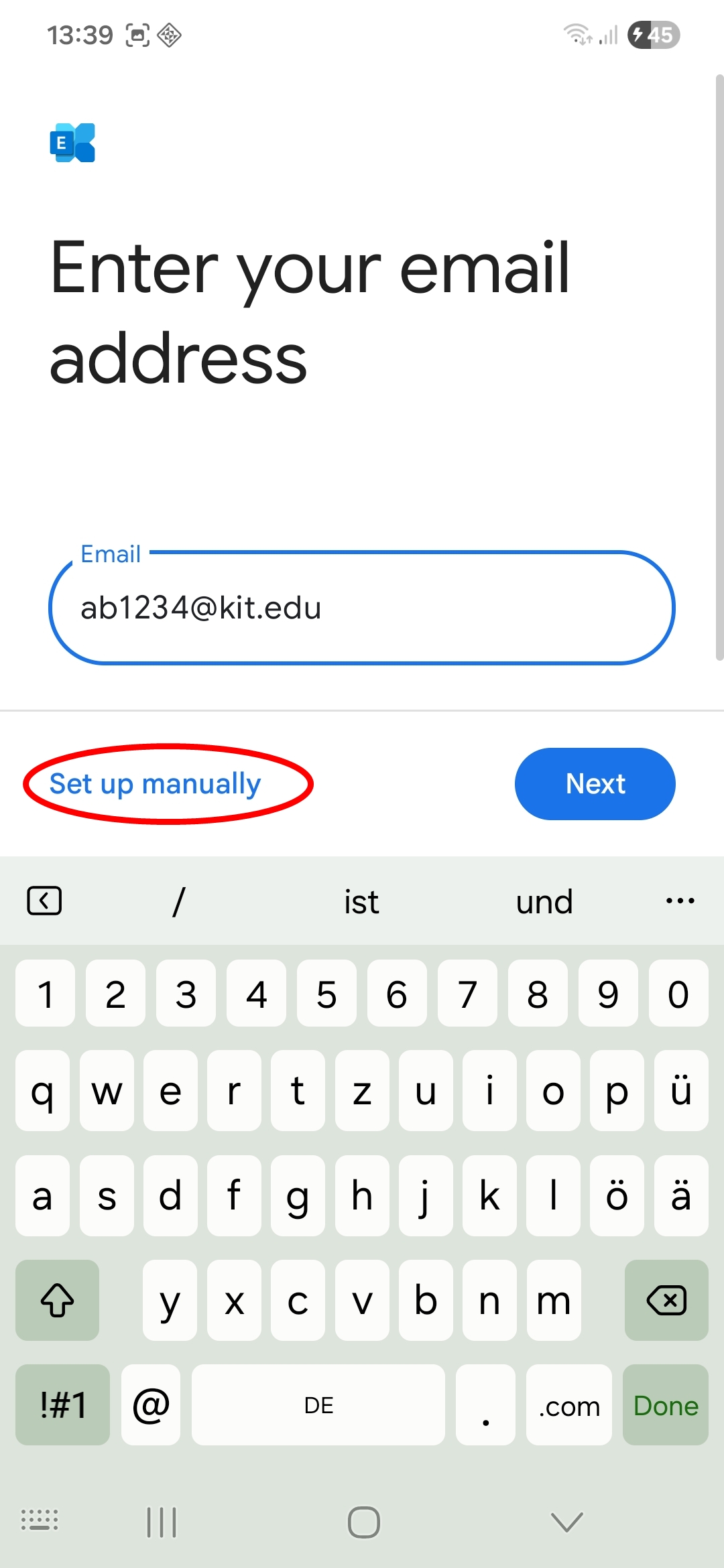
- Email: ab1234∂kit edu as employee.
- Set up manually
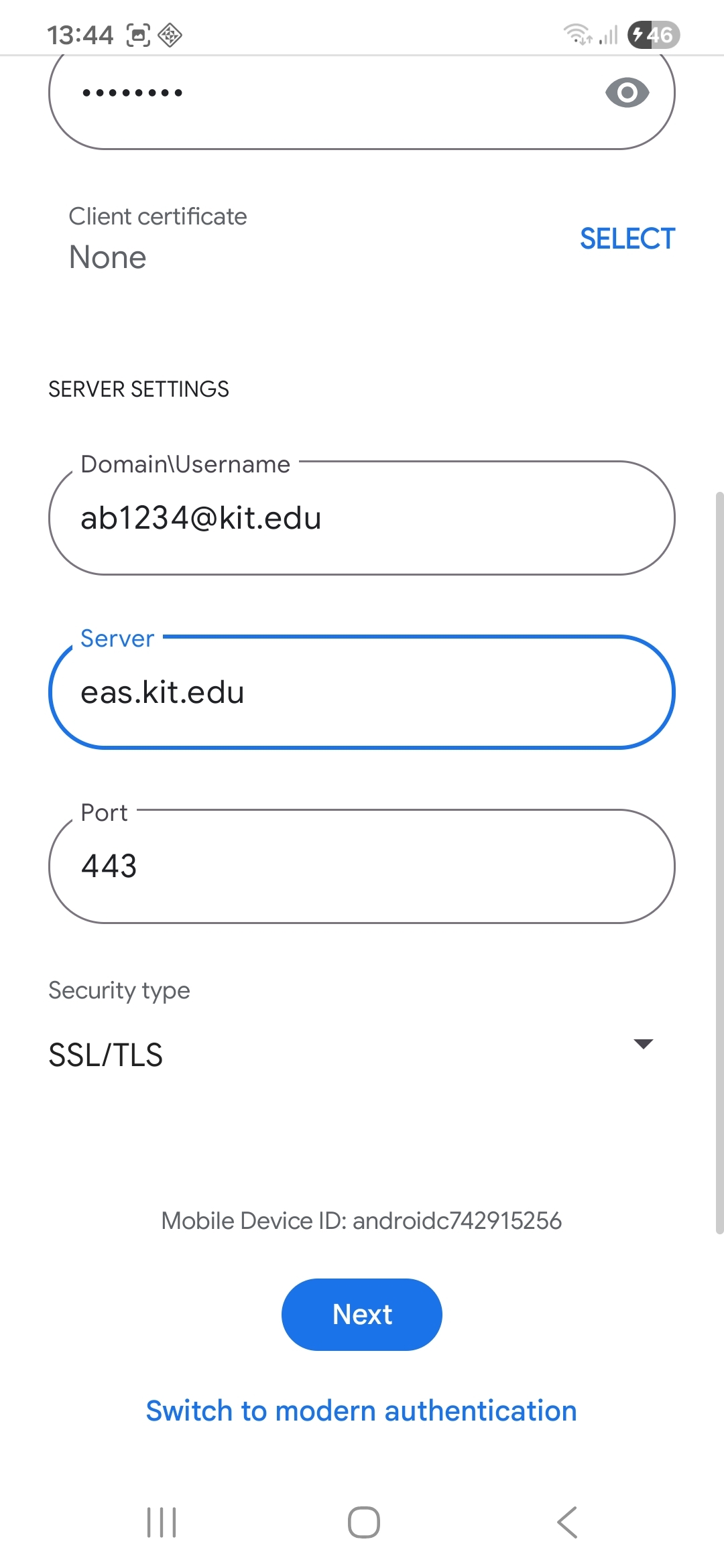
- Email: your depseudonymized email address, e.g. <firstname.lastname>@kit.edu
- Password: your corresponding password
- client certificate: no
- Domain\Username:
- ab1234∂kit edu as employee.
- (Students: uxxxx∂student kit edu; guests and partners: ab1234∂partner kit edu).
- Server: eas.kit.edu
- Port: 443
- Security type: SSL/TLS
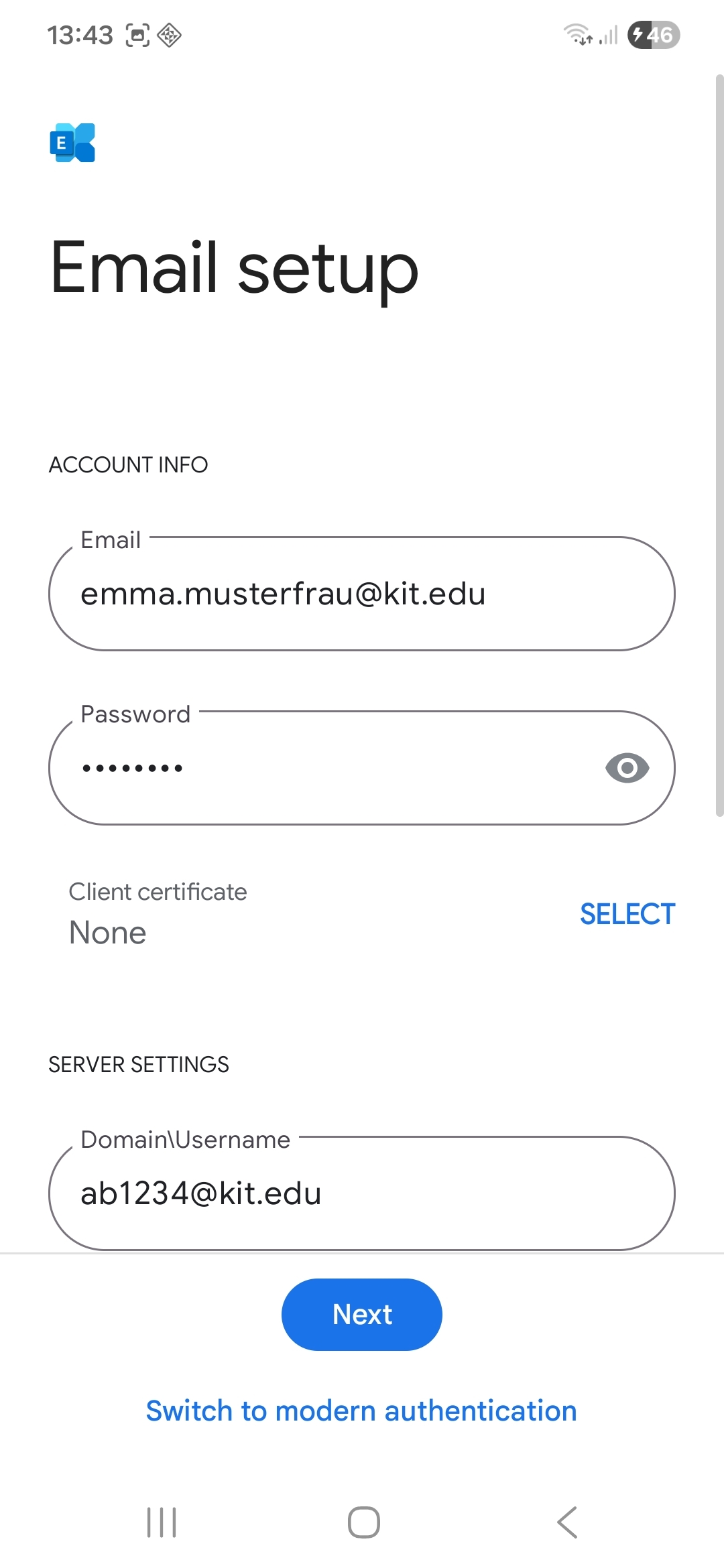
- Next
- Done
The configuration was completed successfully. The calendar will appear in the Calendar  app, and the contacts will appear in the Contacts
  app.
app.
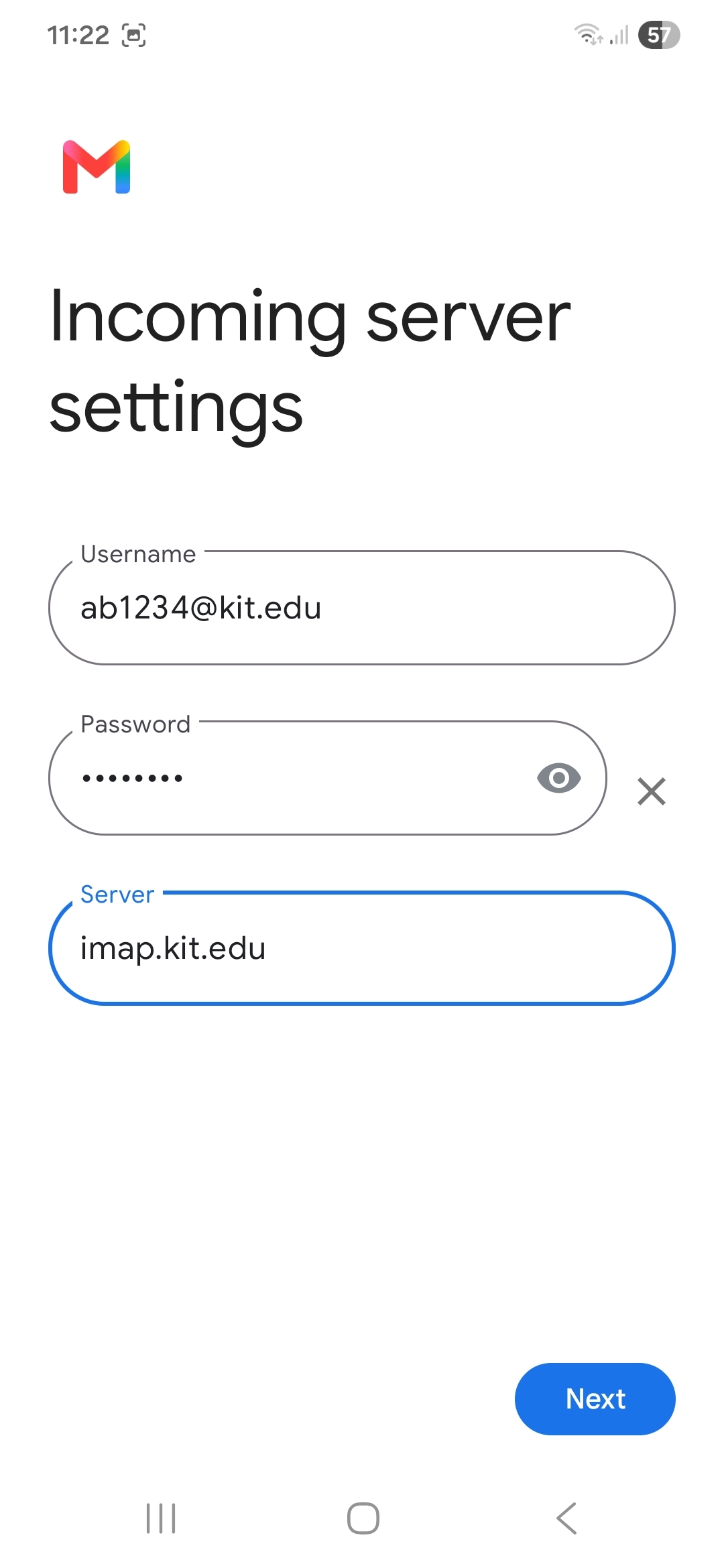
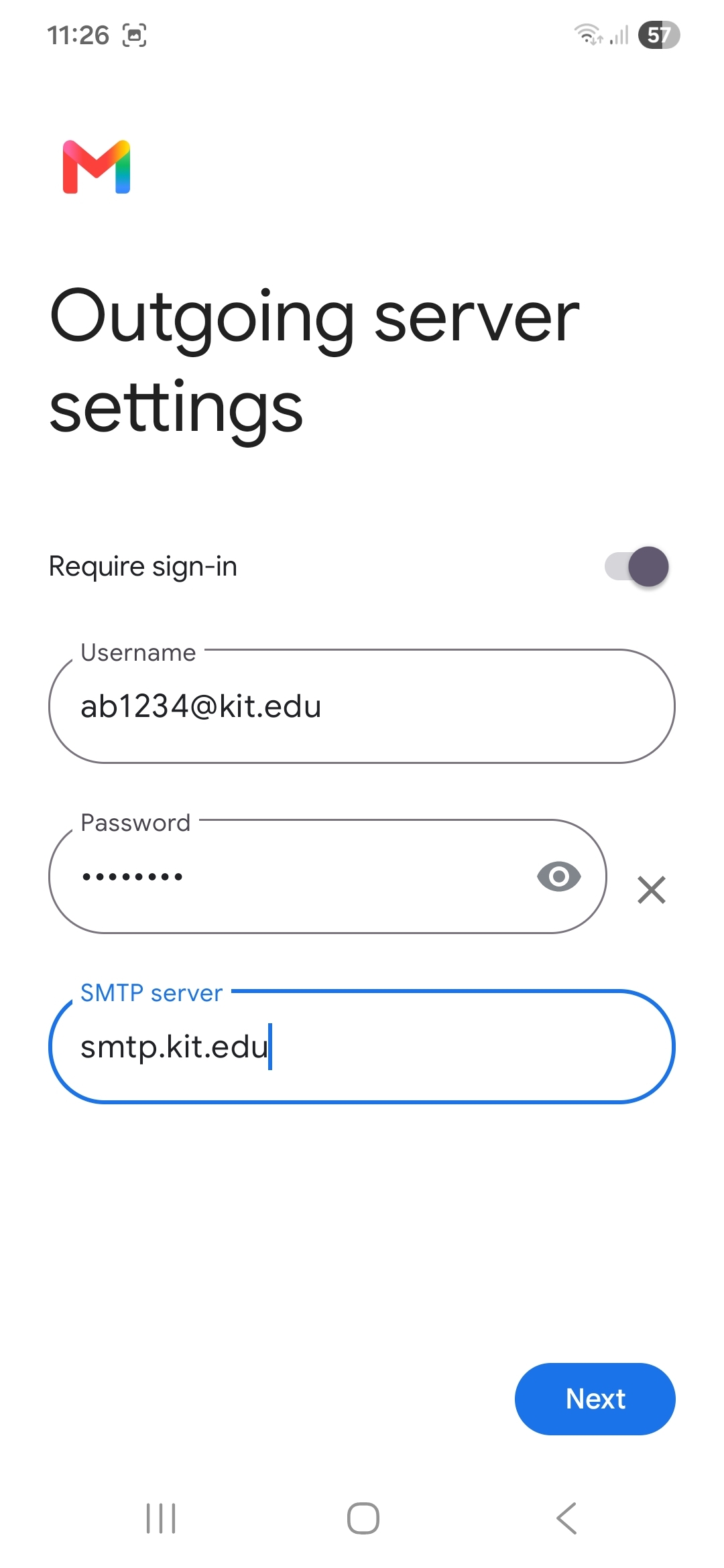
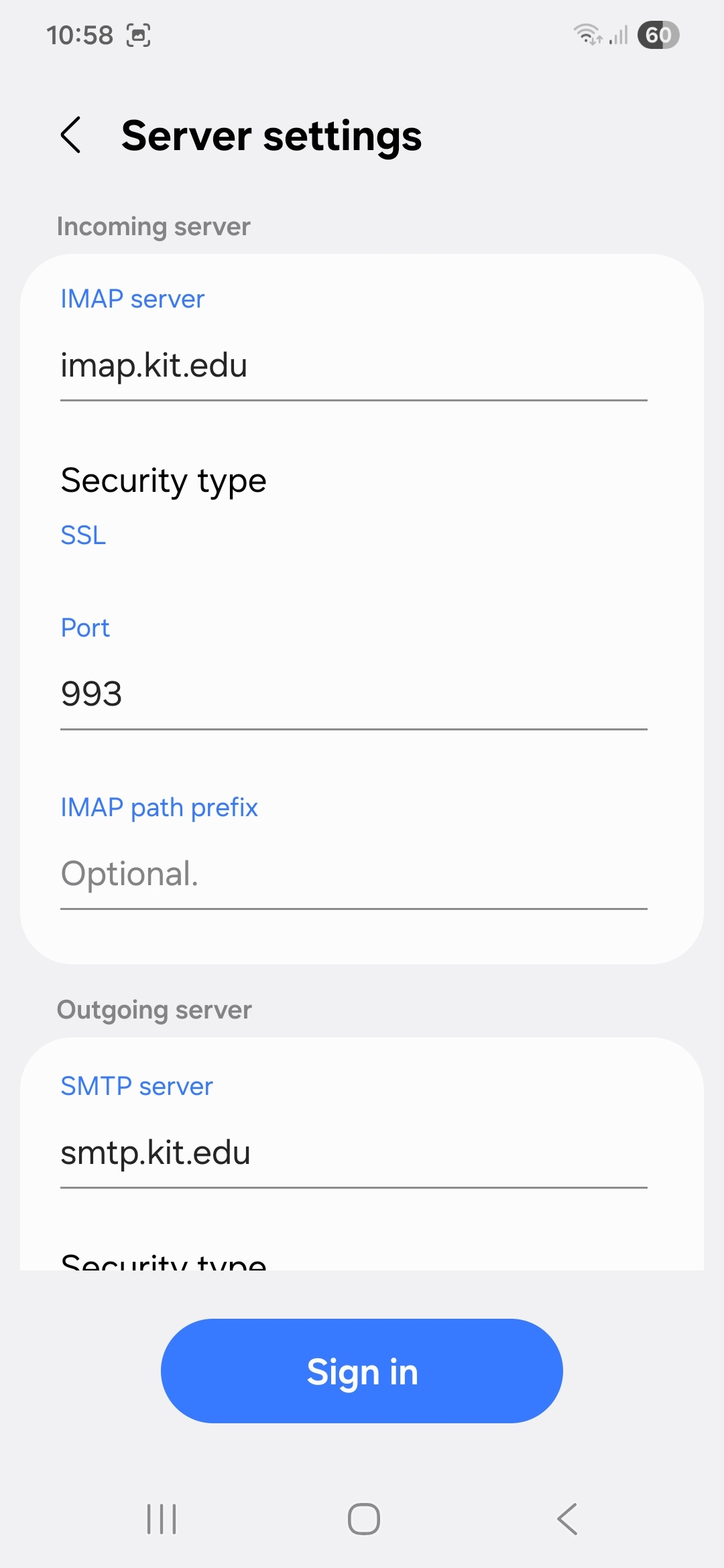
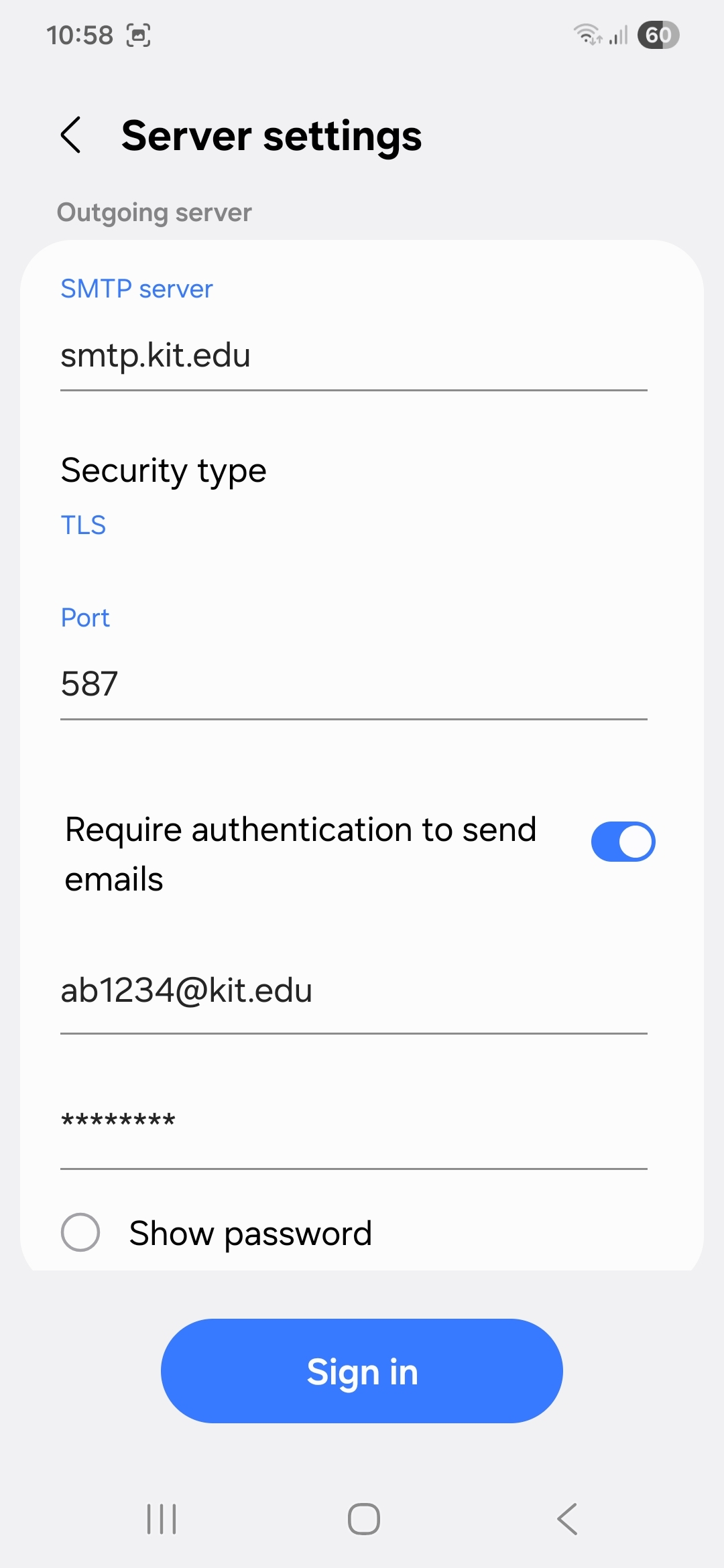
Mail (IMAP account) with Samsung App (Mail)
Note: If you only want to check your KIT emails on your mobile device, you can set up your KIT mailbox as an IMAP account (instead of an Exchange account). This will not establish an Exchange ActiveSync device partnership. However, features such as calendar or contact synchronization and the Global Address Book are not available in this case.
 App
App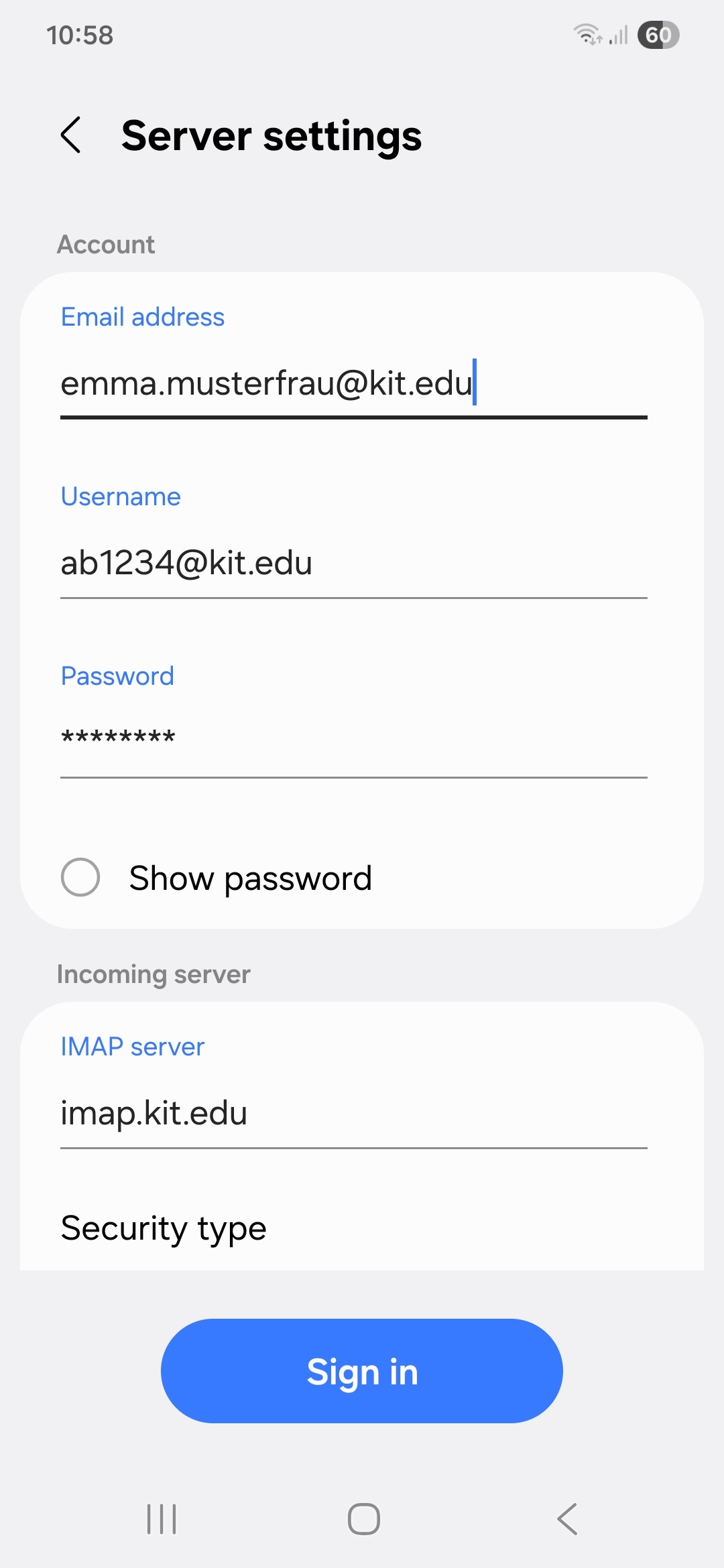
Mail (IMAP account) with Google App (Gmail)
Note: If you only want to check your KIT emails on your mobile device, you can set up your KIT mailbox as an IMAP account (instead of an Exchange account). This will not establish an Exchange ActiveSync device partnership. However, features such as calendar or contact synchronization and the Global Address Book are not available in this case.
 App
App